---
title: "Google Local Search"
url: "https://flightdeck-help.resolutiondigital.com.au/en/article/semantic-competitor-gap-analysis-copy"
language: "en"
last_updated: "2025-01-30T10:11:47.459Z"
---
# Google Local Search
## Google Local Search.
URL: https://flightdeck.resolutiondigital.com.au/report/google-local-search
* * *
## **Objectives of the Tool**
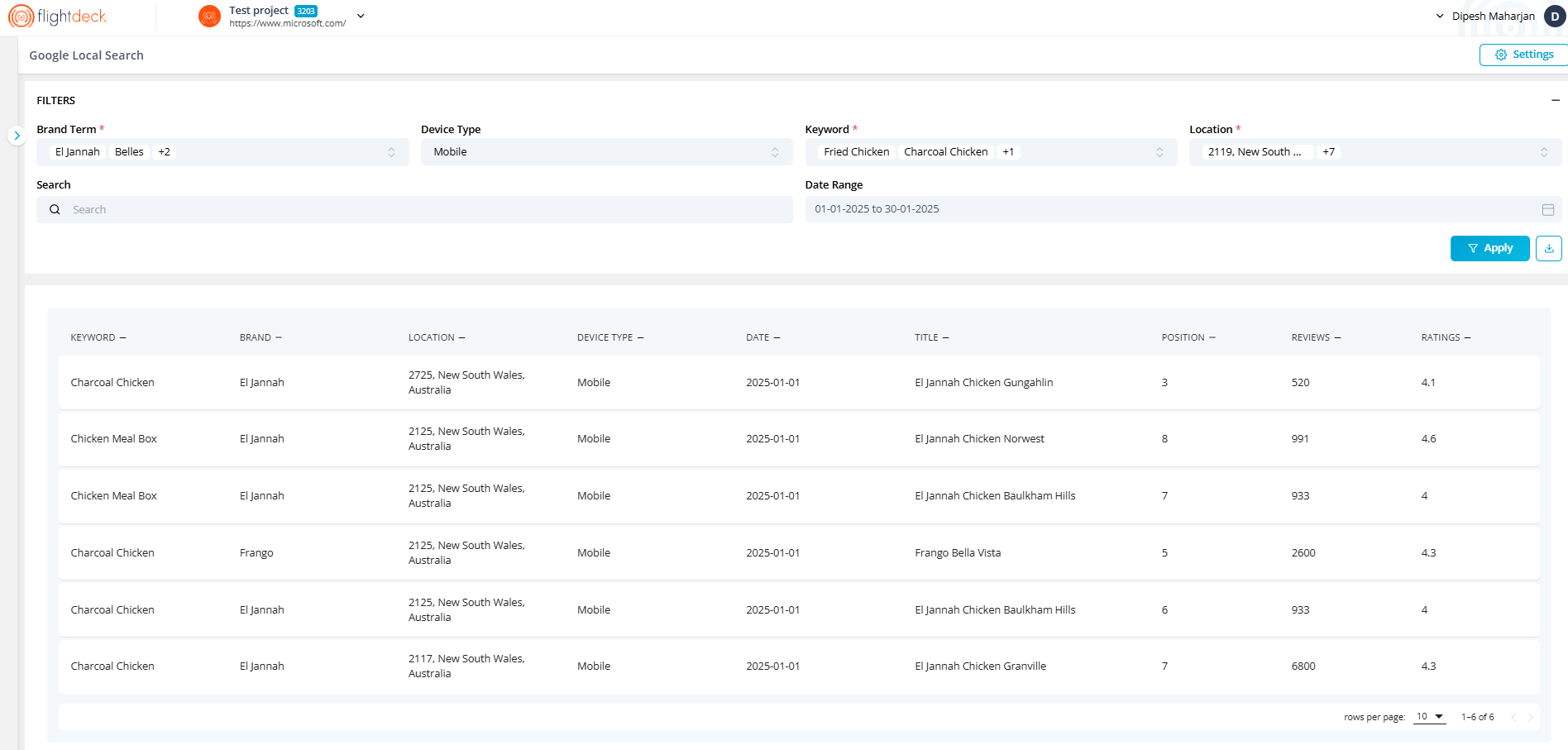
The application aims to extract data from SerpAPI based on user-defined parameters ,stores the results in a Postgres database and display the processed data in Grid.
* * *
## **Using FlightDeck for Google Local Search Settings.**
Steps to follow:
| 1. Navigate to URL: [Flightdeck - Google Local Search](https://flightdeck.resolutiondigital.com.au/report/google-local-search)
2. Click on Settings
3. **Is Enabled**: This is the check box and used to enabled or disabled modules for the client
4. **Brand Term**: Brand Term is the free text, used to search in the title of the google local search, to extract client data. This is the mandatory field.
5. **Device Type**: This is the field to simulate the search for Mobile or desktop device.
**Desktop**: User can either enable or disable this device type.
**Mobile**: This device type is selected by default and user cannot de-select it.
6\. **Keywords**: maximum of 25 keywords can be enter by user. Use text area to input the keywords..
7\. **Locations**: Our system have default location list, user can select from the list
Since User can select high number of locations, there is Bulk Select options to select multiple locations
8\. **Competitors**: User can add number of competitors, as required. User should add Competitor Name and Competitor Brand Name. At least one competitor is required
9\. **Save**: User the button Save details | 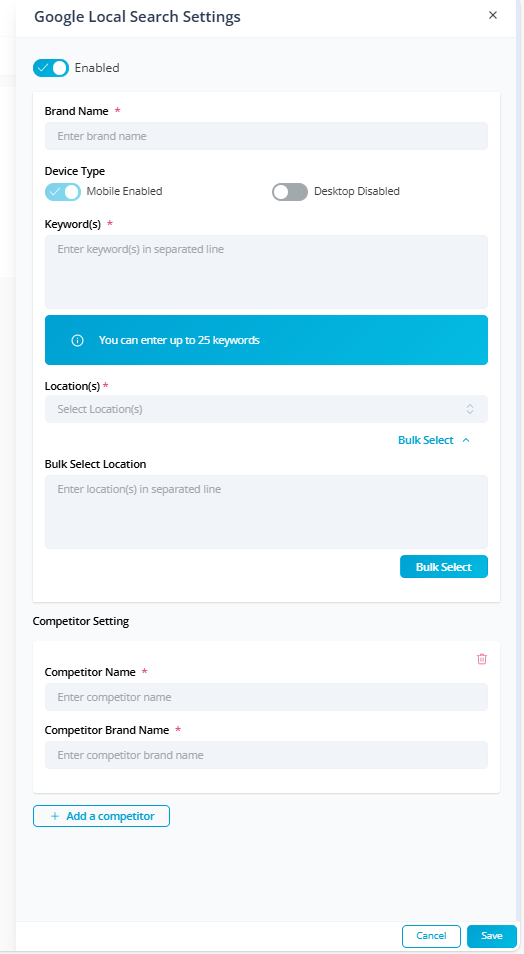 |
| --- | --- |
* * *
### 2\. Background process will handle queuing of the client with monthly frequency, extraction data using SerpAPI and data is displayed Grid with following features
**Data Table / Grid:**
- **Columns**:
- Keyword
- Brand
- Location
- Device Type
- Date (e.g. Dec 2024 or 01/12/2024)
- Title
- Position
- Reviews
- Ratings
- Pagination for large datasets
- **Filters**:
- By Keyword – multi select → display data of all keywords for initial load
- By Brand Term – multi select → display data of all client brand tern for initial load
- By Device Type – multi select → display data of mobile for initial load
- By Location – multi select → display data of first location for initial load
- By Date - User can select date from and date to → display previous month 1st day as **Date From** and display previous months last day as **Date To**.
- Filter always change to Date from as 1st of month and Date to as last of month
- **Search**:
- Search bar for quick filtering by title
- **Export**:
- export filtered data to CSV.