---
title: "Algorithmic Reporting "
url: "https://flightdeck-help.resolutiondigital.com.au/en/article/algorithmic-reporting"
language: "en"
last_updated: "2025-07-08T10:11:07.941Z"
---
# Algorithmic Reporting
## **A. How to get to Algorithmic Reporting**
| 1\. Click on **Reports** menu from side navigation | 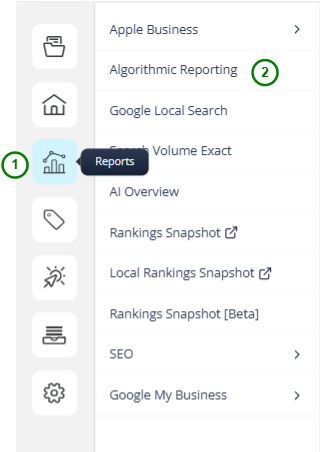 |
| --- | --- |
| 2\. Click on **Algorithmic Reporting** menu item | |
Now, you will be redirected to Algorithmic Reporting page; Initially, you will not be authorized to Access the Algorithmic Reporting.

* * *
### Authorizing the Client for Algorithmic Reporting
Pre-Requisites:
1\. Website Search Engine needs to be present in order to progress
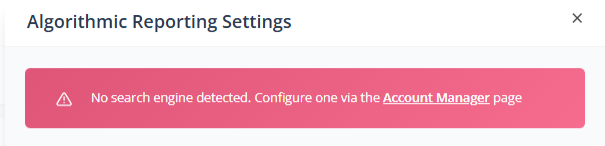
2\. To add Website Search Engine; Follow steps listed [here](https://flightdeck.productfruits.help/en/article/client-settings-step-2)
3\. Now the Drawer will so, further configurations required
| 1\. Enter Brand Terms
Which is required for Google Search Trends API. It accepts maximum of 5 keywords for fetching Google Search Trends.
Which is required for Marking the Query Keywords of Google Search Console as Branded Keywords | 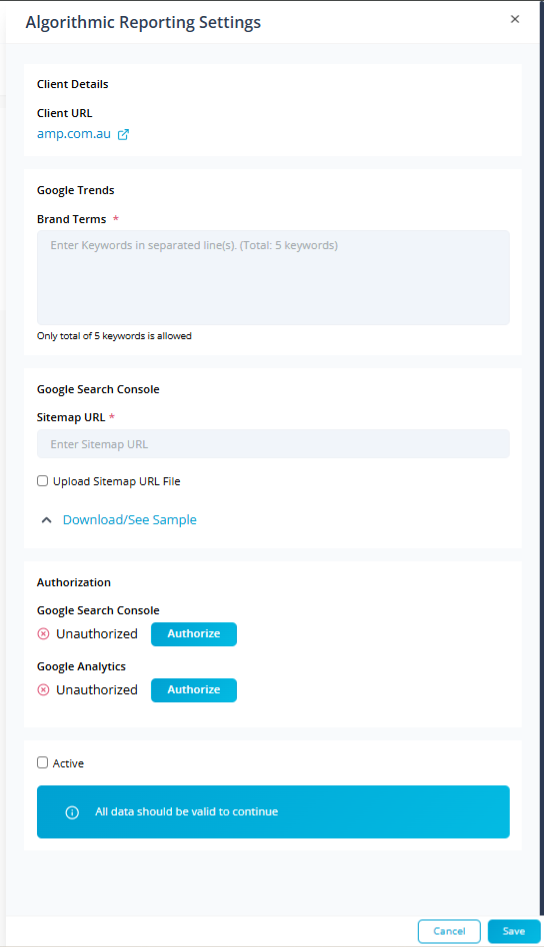
 |
| --- | --- |
| 2\. Enter Google Search Console Sitemap URL
This URL is responsible for fetching the list of pages present in website. Which is required for tracking website Performance | |
| 3\. If you do not have Sitemap URL or Sitemap URL is restricted for any crawlers; Select **Upload Sitemap URL File** to import the sheets that contains list of URLs | |
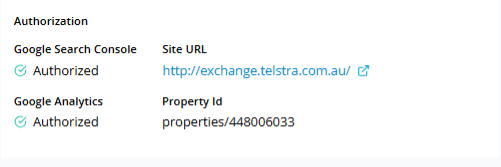
| 4\. If the Client is not Authorized for Google Search Console; Go to API center to authorize for google search console.
If the clients are authorized the property id will be listed. | |
| 5\. If the Client is not Authorized for Google Analytics; Go to API center to authorize for Google Analytics 4.
If the clients are authorized the property id will be listed. | |
| 5\. Now click on **Save** Button | |
Now, after authorizing the client for Algorithmic Reporting; the queues will be created for Past 12 months to fetch the data.
| *The queue will be processed only from the start of the month although it has been authorized.* |
| --- |
* * *
### Report page after the data has been fetched
| 1\. Country - Search Engine drop-down will list search engine added for the client.
This is required for Google Search Engine data.
This is required for Rankings related data. | 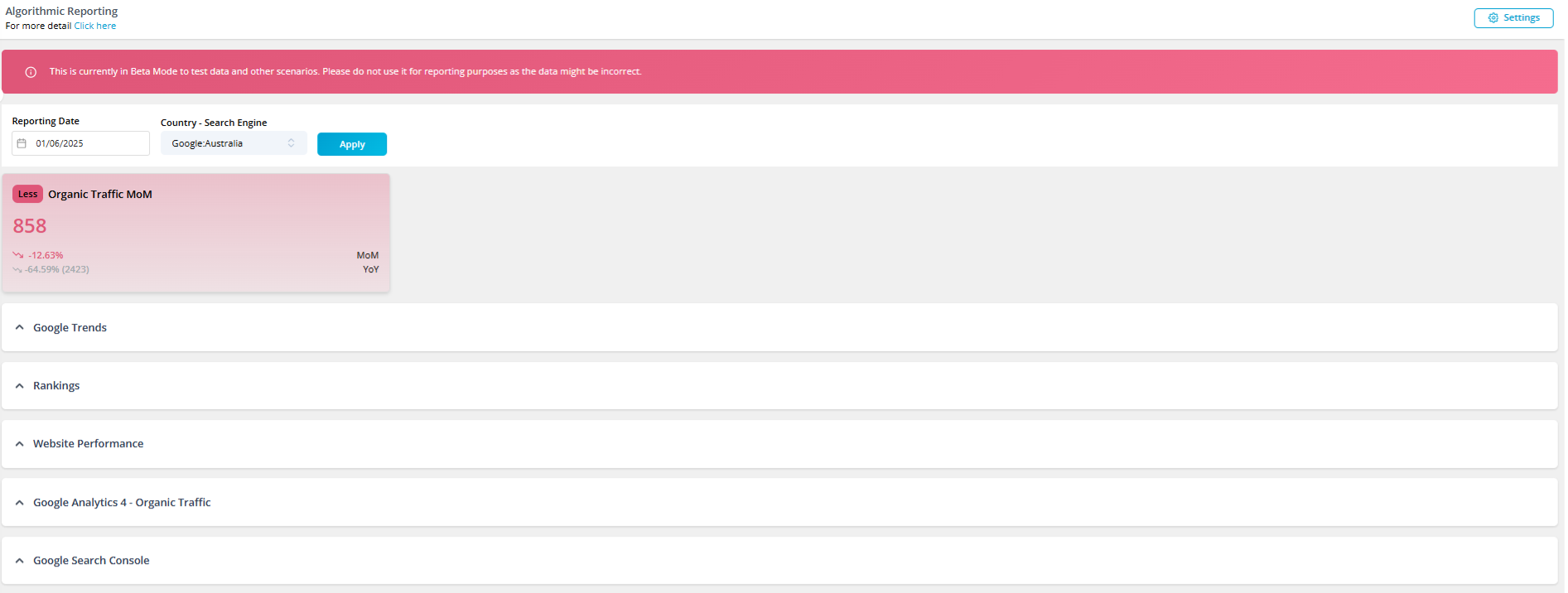
 |
| --- | --- |
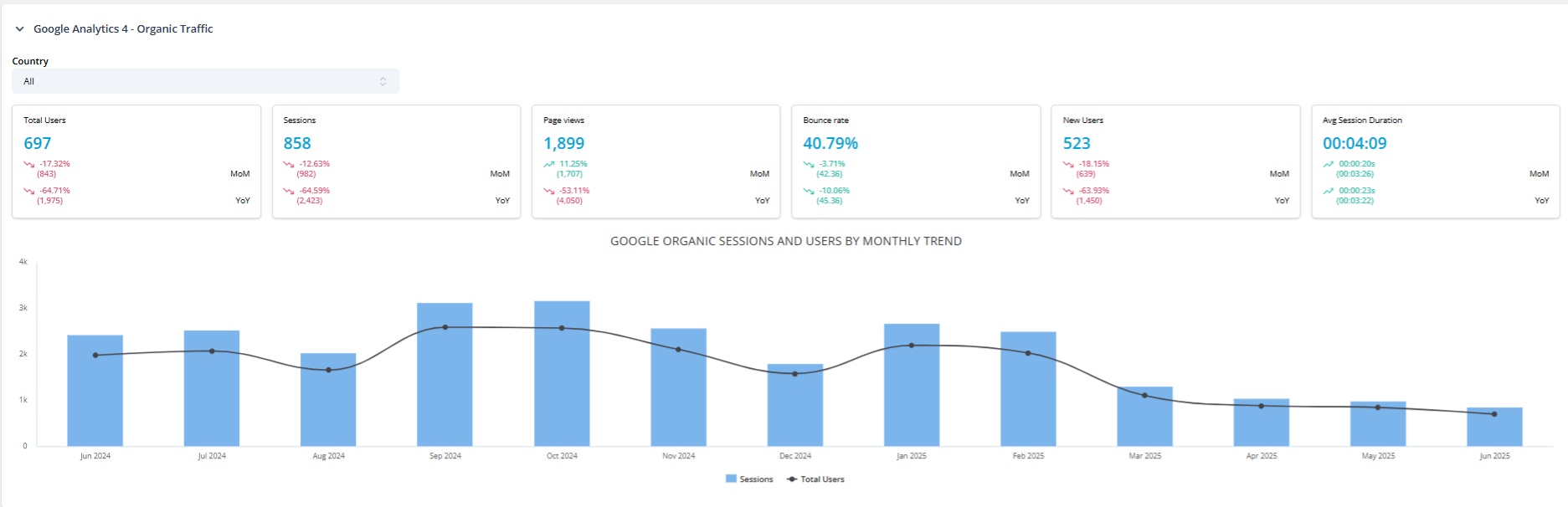
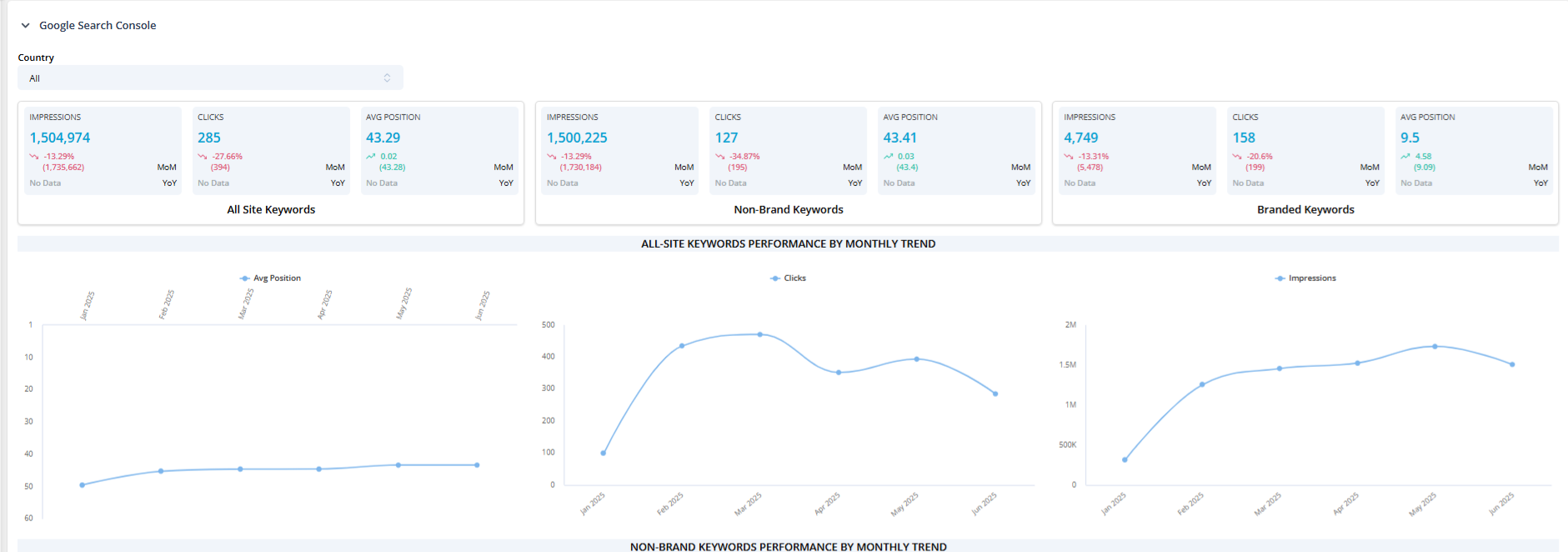
| 2\. The list of countries for Google Search Console section and GA 4 these might have different sets of Countries | |